I know how stressful it feels when a backup device fails just as you need it most. I have seen facility teams and IT staff scramble when a critical power system stops protecting data and services.
This article is my step-by-step guide to common ups problems and practical troubleshooting. I will walk you through checks that identify whether the battery or the power supply is at fault.
My goal is to help you restore reliable operation quickly and protect your data and facility services from unexpected outages. You will get clear actions and effective solutions to keep systems running.
Key Takeaways
- I explain simple troubleshooting steps to find the root cause.
- You will learn how to test the battery and verify the power supply.
- The guide focuses on fast, safe solutions to protect data.
- I offer tips to reduce downtime for critical services.
- Following this content helps you restore your system with confidence.
Initial Assessment of a UPS That Won’t Turn On
The quickest path to an answer is a short, methodical inspection of power and connections. I begin with the basics when a rack unit like the Tripp-lite SU6000RT4U refuses to respond.
Start here:
- Verify the input cable is seated and the outlet has live power.
- Check the front panel for fault LEDs and listen for a fan or relay clicks.
- Confirm the model is not set to bypass; one user found their device stuck in bypass mode.
I keep a quick post for each assessment so I can track questions and the sequence of steps. That post becomes the reference for later diagnostics and avoids repeating work.
If the unit still shows no signs of life, document voltages and any error codes before deeper inspection. This article’s content will guide you through the next diagnostic way to narrow the problem and focus on whether the battery or another module needs replacement.
Common Reasons Your UPS Won’t Turn On
Most power failures trace back to a few predictable root causes that you can check fast.
Battery degradation
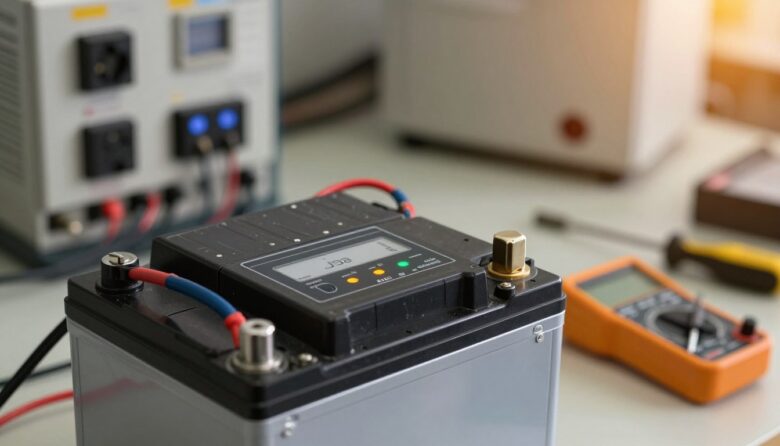
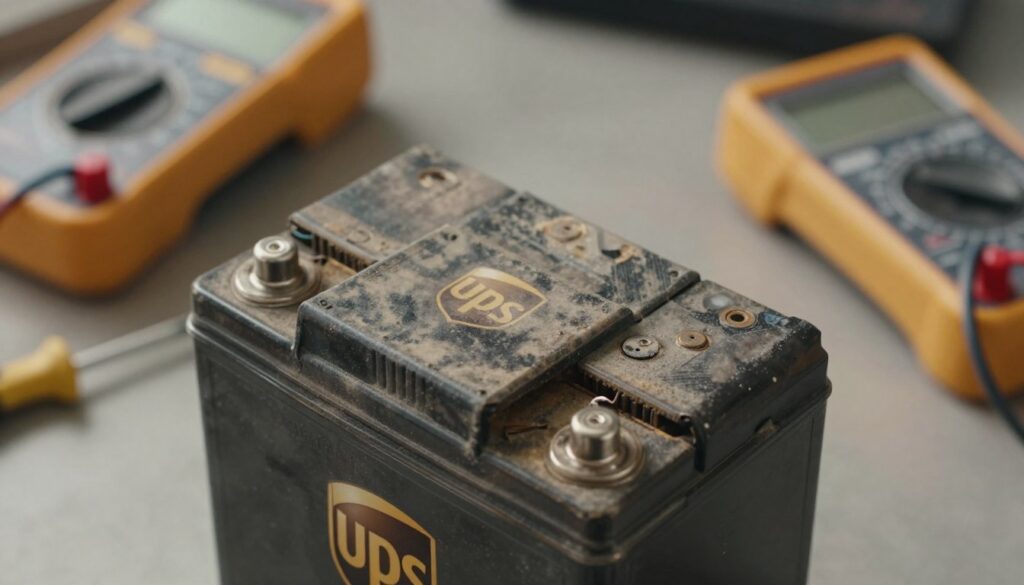
I find battery degradation to be the most frequent issue. Cells age and lose capacity after several years.
Tip: Replace batteries every five to seven years or at OEM intervals. New batteries are often linked in two groups of eight in series and both groups should read about 102.5 volts steady.
“Regular battery swaps and voltage checks save emergency replacements and downtime.”
Overloading and capacity issues
Exceeding the rated load makes the battery voltage sag and can cause full failure.
Check the load against the rated output. If the load is too high, reduce devices or upgrade capacity.
I also suggest checking the fuse if your model has one. A blown fuse will stop the output from reaching connected equipment.
- I post frequent checks because time on battery and component wear, like filters and capacitors, shorten life.
- The average device holds around 12 capacitors; inspect them yearly and replace every five to seven years.
- These simple checks point to practical solutions that extend service life and avoid surprise failures.
Diagnostic Steps to Identify Power Failures
When a backup unit reports errors, the event log is often the first place I check. Logs give a clear timeline of what happened and when. That timeline helps me narrow the root cause quickly.
Analyzing event logs and error codes
I always start by exporting event histories and noting any error codes. Many units include built-in diagnostics that flag specific modules and list timestamps.
Use the manufacturer’s software to run a diagnostic test. The app often reads the event buffer and translates codes into readable messages.

- I check the load and output voltage to confirm the unit supplied enough power during the event.
- Review logs over a period of time to see if a repeated event caused the failure.
- I write each post of findings so the content of my troubleshooting stays clear and shareable.
“Accurate event data makes it far easier to tell if the battery is failing or if an inverter fault caused the shutdown.”
By reviewing system data and error codes, I can decide whether the battery needs replacement or if deeper repairs are required. This approach saves time and reduces unplanned downtime.
Inspecting Internal Components for Damage
I start with a hands-on inspection of the circuit board and wiring to find obvious faults before I run electrical tests.
Checking fuses and circuit breakers
Verify continuity: I confirmed all internal fuses passed a continuity test with an ohm meter. That rules out a blown fuse blocking the output path.
Also check any built-in circuit breakers and the power button for signs of being stuck. A mechanical fault can prevent the unit from starting even after installing new batteries.
Identifying burnt thermistors or wiring
Look closely for burnt components and loose wiring. I found two large thermistors completely broken off the board in one model.
Dust on filters can cause overheating and lead to burnt wires or damaged parts. Visual inspection often saves time and repair costs.
- Inspect thermistors, solder joints, and connectors for burns or cracks.
- Confirm fuses and breakers are not tripped or open.
- Note any abnormal smell or discoloration and document it in your post.
“Even after fitting new batteries, a broken thermistor stopped the unit from supplying load — visual checks caught it.”
Preventive Maintenance to Avoid Future Problems
Small, scheduled checks save you time and money by stopping many common power problems early.
I recommend starting with the physical space. Make sure the area around your ups is clear of boxes and clutter. Good airflow prevents heat build-up and extends battery life.
Keep the unit and nearby racks free of dust and grime. I clean filters and panels on a regular cadence to avoid overheating and component stress.
- I update firmware and software when manufacturers release patches to fix known problems and improve performance.
- Perform a load test every few years to confirm the battery can support your critical equipment.
- Monitor battery voltage and level so you spot degradation before it causes a failure.
My post in this article aims to help you set a simple routine. Over time, these checks keep output stable and reduce unplanned downtime for your system.
When to Seek Professional Support
If you reach the limits of step-by-step checks, professional support can save time and risk.
I recommend contacting a qualified team when simple fixes no longer work. Nationwide Power is here to help; call us at 800-868-2780 today.
Make sure to ask clear questions about repair costs and expected timelines before you commit to any services. I advise confirming warranties and parts pricing up front.
If the power button remains unresponsive after replacing the battery or batteries, it’s a good sign to stop and call for expert help.
- Professionals can safely test the unit’s load and isolate faults without risking further damage.
- They offer diagnostics that go beyond basic maintenance and can advise repair versus replacement.
- I include this post to help you feel confident when deciding on outside support.
| Issue | When to Call | What a Technician Does |
|---|---|---|
| Unresponsive controls | After battery replacement and still no response | Test control board, replace faulty switches |
| Rapid capacity loss | After failed DIY load checks | Measure actual load, run full battery analysis |
| Intermittent faults | When errors repeat in the event log | Deep diagnostics, firmware and hardware repair |
“Professional support is the safest way to handle complex internal issues that go beyond basic maintenance.”
Conclusion
<!– meta: –>
My aim here is to give you a short checklist that helps prevent future power surprises. I hope this article has given the answer you need to resolve common battery and power supply issues and restore your system.
Remember simple maintenance: run a load test, check the fuse, and watch voltage trends. These steps save time and reduce emergency repairs.
If you still see an error code or the button stays unresponsive, refer back to the data in this post and call for help when needed.
Thanks for reading this article. Take a few minutes each month to care for your kit and you will keep critical output and power ready when it matters most.
FAQ
How do I start when my battery backup won’t power my devices or hold a charge?
I begin with a quick visual and basic power check. I unplug all loads, then try a single known-good device on the output. I check wall outlet voltage with a multimeter and make sure the unit is plugged into a live circuit. If the unit has LEDs or a display, I note any error lights or codes before proceeding.
What initial signs tell me the unit needs more than a simple reset?
If the unit shows no lights, no display activity, or a persistent fault code after a reset, I treat it as a deeper problem. A burnt smell, swollen battery pack, or tripped internal breaker also indicate that simple resets won’t help and further inspection is necessary.
How can I tell if the battery cells have degraded?
I run a load test or use the unit’s self-test function if available. Short runtime under a light load, a battery voltage significantly below the rated voltage, or repeated low-battery alarms are signs of degradation. Battery age and number of charge cycles also inform my judgement.
Could I be overloading the unit even if it powers up briefly?
Yes. I calculate the total connected wattage and compare it to the unit’s rated output. If the load exceeds capacity or devices with high inrush current are attached, the unit can shut down immediately or on battery, indicating overloading or capacity mismatch.
What diagnostic steps help identify why power failed?
I review any event logs or error codes from the unit’s display or management software. Then I measure input and output voltages, check battery voltage at the terminals, and test with minimal load. I also listen for unusual sounds and note heat levels during operation.
How do I interpret error codes or event logs?
I match codes against the manufacturer’s manual or online support pages. Codes often point to battery faults, overloads, inverter failure, or communication errors. When available, vendor software like APC PowerChute or Eaton Intelligent Power Manager simplifies interpretation.
Should I check internal fuses and circuit breakers myself?
I inspect external breakers and replace blown fuses only if I’m comfortable and the unit is unplugged. For internal fuses or service panels, I recommend professional service unless the manual explicitly shows user-replaceable fuses and safe procedures to follow.
How do I spot damaged thermistors or wiring inside the unit?
I look for discoloration, melted insulation, or loose connections near the battery, inverter, and input/output terminals. Burnt thermistors often show heat marks or cracking. Any signs of thermal damage mean I stop and consult a technician.
What preventive maintenance helps avoid future failures?
I schedule periodic battery tests, clean ventilation areas, and ensure firmware stays updated. I also maintain a load checklist to avoid overloading and replace batteries according to manufacturer intervals, typically every 3–5 years for lead-acid types.
When should I contact professional support or the manufacturer?
I contact support if the unit has internal damage, persistent faults after basic troubleshooting, or if it’s under warranty. For hazardous symptoms—smoke, chemical leaks, or severe overheating—I disconnect power and call authorized service immediately.
Can software or firmware issues cause power problems?
Yes. I check for management software alerts and apply firmware updates recommended by the maker. Corrupted firmware or misconfigured shutdown settings can prevent normal operation or reporting, so software checks are part of my diagnostics.
Is replacing batteries a likely fix, and how do I know they’re the issue?
Replacing batteries often fixes runtime and charge problems. I confirm by measuring open-circuit and under-load voltages, and by checking age and charge-holding behavior. If new batteries restore normal runtime and the unit stops reporting battery faults, the problem was likely the pack.