I rely on clear guidance when choosing power protection for my gear. An uninterruptible power supply keeps servers and sensitive hardware safe from surges, brownouts, and complete blackouts.
When I compare a line-interactive vs online UPS, I look at how each system manages incoming power and keeps equipment running.
My goal is to break down the technical differences so you can match the right uninterruptible power solution to your infrastructure and budget.
Choosing the correct strategy is often the first step in preventing costly downtime for a business.
Key Takeaways
- I explain how each system handles power to protect critical devices.
- Understanding management methods helps extend device longevity.
- Cost and infrastructure needs guide the right choice for your setup.
- Proper protection reduces the risk of data loss and downtime.
- I aim to make the comparison simple so you can decide with confidence.
Understanding the Basics of UPS Technology
I start by explaining how basic battery backup and voltage regulation work in common uninterruptible power solutions. A standby ups switches to battery power only when the main utility fails. It acts fast, but it offers no line regulation during normal operation.
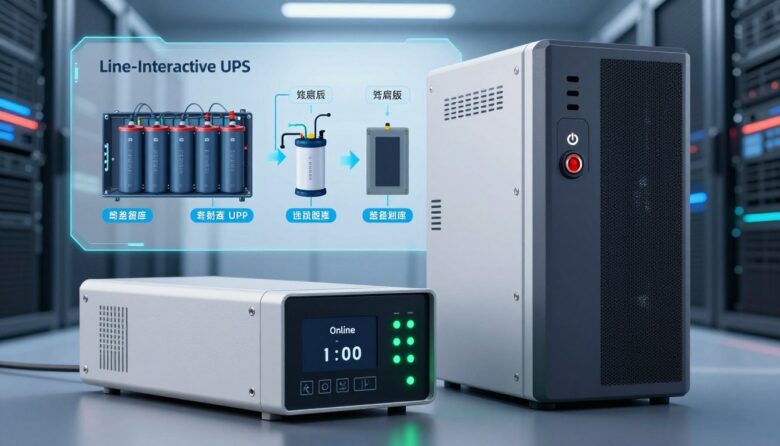
By contrast, a line interactive unit watches incoming voltage and uses an autotransformer to correct minor sags or surges. That means it conditions power continuously and reduces brief disturbances before the battery is needed.
I also note that not every battery backup places the battery directly between the load and the utility. Design varies among types and affects maintenance and storage needs.
Proper battery storage and regular maintenance matter most. Batteries are the component that will likely fail first, so care extends system life.
- Standby: simple switch to battery on outage.
- Line interactive: active voltage correction, better conditioning.
Most users rely on these systems for short-term uninterruptible power during outages. Even basic line interactive units give better conditioning than a plain standby unit.
Comparing Line-Interactive vs Online UPS Systems
I compare these UPS types by how they protect equipment from everyday power problems and full outages. My goal is to make differences clear so you can match a system to your infrastructure and budget.
Defining Line-Interactive Systems
Line interactive models watch incoming voltage and correct minor sags without switching to battery. They act as a practical choice for general office equipment and mixed loads.
These units extend battery life because they only use battery power when the utility fails or a severe disturbance occurs.
Defining Online UPS Systems
An online, double-conversion system continuously feeds the load through the battery and inverter. That design gives true zero switching time, so sensitive servers see clean power at all times.
The trade-off is higher cost and more complex infrastructure since AC is converted to DC and back constantly. For critical applications, that extra protection can be worth the investment.
“For general office backup choose interactive units; for critical server rooms choose double-conversion.”
- Line interactive: efficient, lower cost, good for office use.
- Online: superior protection, higher cost, ideal for sensitive equipment.
The Role of Sine Wave Output in Power Quality
Clean waveform matters when I evaluate how a backup system delivers power to sensitive gear.
I look first at whether the device provides a pure sine wave. A pure sine wave mimics the smooth power from the utility grid and is ideal for delicate power supplies and digital electronics.
Many lower-end units produce a simulated sine wave. That stepped wave can cause noise, extra heat, and inefficiency in some modern power supplies. In worst cases, certain types of equipment reject modified waveforms entirely.
Why Pure Sine Wave Matters
For high-end applications like medical gear or pro audio, I insist on pure sine output. It prevents overheating and reduces stress on connected equipment.
“A true sine wave protects sensitive electronics by delivering smooth, predictable power.”
| Wave Type | Typical Output | Best For |
|---|---|---|
| Pure sine | Smooth, grid-like sine wave output | Medical devices, servers, audio gear |
| Simulated sine | Stepped or modified wave output | Basic office equipment, lamps, some power supplies |
| Square/stepped | Harsh transitions, non-sinusoidal wave | Very simple loads; not recommended for modern electronics |
My takeaway: match the wave output to your equipment. When in doubt, choose pure sine to protect power supplies and extend device life.
How Voltage Regulation Protects Your Hardware
I count voltage regulation as the unsung shield between raw utility power and my hardware. Normal utility power in the U.S. is typically around 110V, and an automatic voltage regulator acts like a gatekeeper to keep that level safe.
The regulator corrects small sags and spikes so sensitive gear sees steady voltage. That means the system uses its internal battery or regulation circuitry only when truly needed.
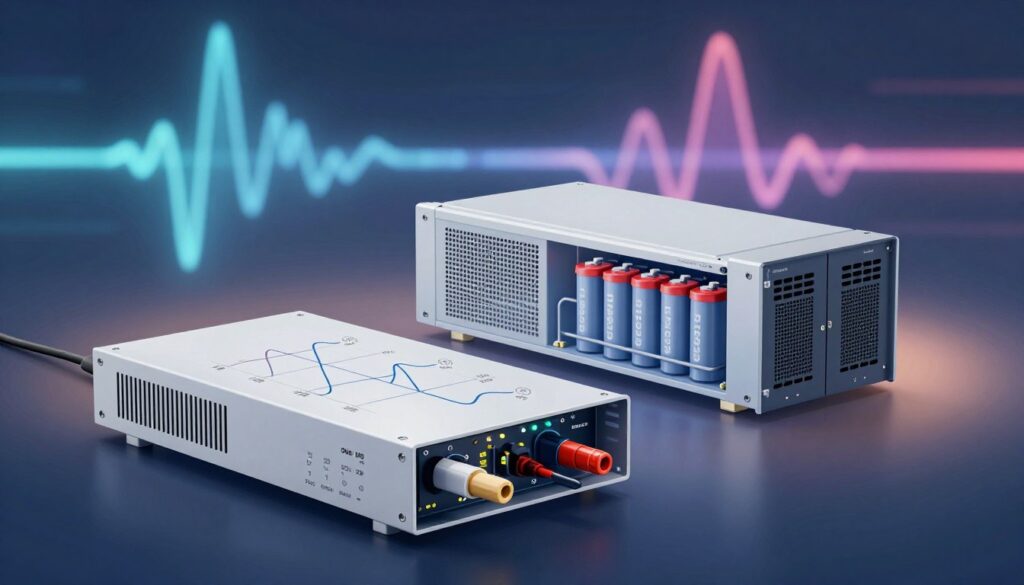
In areas with unreliable supply, good regulation prevents the unit from having to switch battery too often. Less switching preserves battery life and keeps backup time available for real outages.
- Prevents wear: fixes minor power disturbances before they reach equipment.
- Extends batteries: reduces unnecessary charge cycles on batteries.
- Reliable protection: if incoming voltage leaves the safe range, the ups will switch to battery power for a clean supply.
Effective regulation is a key feature of a quality line interactive unit, giving a balance of cost and reliable hardware protection.
Understanding Double-Conversion Inversion
I describe how double-conversion inversion works and why I consider it the gold standard for critical environments.
This method converts incoming AC to DC, holds it on a constant DC link, then inverts it back to AC. The result is a true sine wave that is fully isolated from utility irregularities.
The battery is always in the loop, so there is no switching delay when an outage occurs. That seamless changeover protects sensitive servers and storage from even the smallest disturbance.
Continuous conversion also cleans the incoming power. Harmonics, spikes, and frequency deviations are removed so the final output mimics ideal grid power for each connected power supply.
“Double-conversion gives the cleanest, most consistent power for mission-critical setups.”
The trade-off is higher energy use and heat compared with simpler designs. For me, the extra cost is justified when protecting irreplaceable data and equipment in demanding systems.
Evaluating Efficiency and Cost Considerations
I focus on real-world efficiency and how that translates to monthly operating expenses for businesses.
Operational Efficiency
I watch how much energy a unit wastes in normal use. Line interactive designs skip continuous double-conversion, so they often run cooler and draw less power.
That efficiency lowers electricity bills and reduces heat load in server rooms. Minuteman offers line interactive units from 500VA to 3000VA, which makes them practical for many small to mid-size applications.
Good voltage regulation also reduces unnecessary battery cycles, preserving battery life and storage capacity.
Budgetary Impact
Online systems have higher upfront cost because of continuous conversion and advanced components. I weigh that against the long-term value of cleaner power and tighter protection.
- Total cost of ownership: include replacement batteries, maintenance time, and cooling needs.
- Practical choice: for many infrastructures, a line interactive ups balances protection and cost.
“Match protection level to equipment sensitivity and budget to get the best value over time.”
Choosing the Right System for Your Specific Needs
My first step is to map equipment sensitivity and environmental risk before picking a power solution.
Assessing Equipment Sensitivity
I check each device to see if its power supply needs a pure sine wave.
If a server, medical unit, or pro audio rack requires a true sine, I rule out modified wave options.
EnterprisePlus LCD can simulate a true sine wave for mixed loads when a full double-conversion system is not needed.
Analyzing Power Stability
I study local grid behavior and record frequency of brownouts and spikes.
In areas with frequent disturbances, I lean toward an online UPS for constant conversion and zero switching time.
Identifying Critical Infrastructure
For core servers and storage, I require systems that deliver seamless output and robust battery support.
Minuteman’s Endeavor Series (1–10kVA) fits high-powered, sensitive equipment where protection is non-negotiable.
“Match the wave output to the weakest power supply in your rack to protect everything else.”
Conclusion
Finally, I suggest a simple decision rule: protect what you cannot afford to lose first. Balance your budget against how sensitive your gear is and how stable local power tends to be.
, For general office equipment, a line interactive battery backup often gives the best value. For mission-critical servers and labs, choose an online, double-conversion system for the tightest power protection.
Always verify if your devices need a pure sine wave. Schedule regular testing and basic maintenance so your backup system performs when a disturbance occurs.
I hope this comparison helped you feel more confident in selecting the right power protection for your setup.
FAQ
What is the main difference between line-interactive and online power systems?
The core difference is how they handle utility issues. I explain that interactive models use an autotransformer to correct minor sags and surges while staying connected to the incoming supply, switching to battery only when needed. Online systems provide continuous double-conversion power: they always convert utility to DC and then back to AC, so the load sees clean, regulated voltage with no transfer time during outages.
Why does a pure sine wave output matter for my equipment?
I recommend pure sine wave because it matches utility waveforms and prevents overheating, audio interference, and erratic behavior in sensitive gear. Motors, servers, and medical devices run quieter and more reliably on true sine output compared with modified or square-wave alternatives.
How does voltage regulation protect my hardware?
Voltage regulation keeps voltage within safe limits during surges, drops, and brownouts. I point out that steady voltage prevents premature component failure, data corruption, and unexpected reboots, especially for servers and networking gear that need constant, clean power.
What is double-conversion inversion and why is it important?
Double-conversion inversion means the system turns incoming AC to DC, charges batteries, then inverts DC back to AC for the load. I find this important because it isolates equipment from all utility anomalies—frequency shifts, spikes, and sags—providing the highest level of protection.
How do efficiency and cost compare between the two types?
Online double-conversion systems usually run less efficient and cost more upfront and in ongoing energy losses. Interactive systems are generally cheaper and more efficient for moderate protection needs. I advise balancing protection level against long-term operating costs when making a choice.
Which system should I choose for sensitive electronics and critical infrastructure?
For highly sensitive or mission-critical infrastructure, I favor double-conversion systems because they deliver continuous, clean power. For home offices, small networks, and desktop equipment, an interactive model with pure sine output often offers a better cost-to-benefit ratio.
Can battery backup time vary between systems?
Yes. Backup time depends on battery capacity, load, and charger design. I tell readers to check runtime figures at intended loads and consider adding external battery packs if extended uptime is required.
How do I assess equipment sensitivity before buying a unit?
I suggest listing devices, checking manufacturer power requirements, and noting tolerance to voltage distortion and transfer time. Devices with motors, precise timing, or sensitive power supplies usually need pure sine output and tighter regulation.
What common power problems should I plan for?
Expect outages, surges, sags, frequency variations, and electrical noise. I recommend systems that address the most frequent local issues—surge protection for spikes, regulation for sags, and double-conversion for noisy or unstable grids.
Are there brand or model considerations I should know?
I advise choosing reputable manufacturers like APC by Schneider Electric, Eaton, and CyberPower. Look for warranties, battery replacement options, online monitoring features, and reviews that report real-world reliability.
How often should UPS batteries be serviced or replaced?
Typical lead-acid batteries last 3–5 years under normal use. I recommend annual inspections, cleaning connections, and replacing batteries proactively if run times decrease or diagnostics report capacity loss.
Will a UPS protect against all power issues including lightning?
No single device can guarantee complete protection from a direct lightning strike. I explain that surge protection and proper grounding reduce risk, and for lightning-prone areas, layered protection—service entrance surge devices plus local units—is best practice.
Can I use a consumer power supply with modified wave output for sensitive gear?
I caution against it. Modified or stepped wave outputs can cause overheating, noise, and instability in many modern power supplies and motors. For sensitive electronics, I recommend units that deliver a pure sine wave.