I wrote this guide to help you understand the key differences between a pure sine wave vs simulated sine wave power when running a PC. I will explain how different UPS models and power supplies affect servers, desktops, and other sensitive equipment.
When a power supply meets a distorted waveform, it can struggle to keep stable voltage and may cause shutdowns or cycling. Minuteman’s Endeavor series uses an AC-DC-AC conversion to deliver a true output that helps many modern power supply designs work properly.
I also note that some Active PFC UPS units, like CyberPower’s model, show a short 4ms transfer time to battery. That delay matters when you want seamless backup. Evaluating cost, quality, harmonics, and peak voltage helps you choose the right UPS to protect data and limit heat on high-performance devices.
Key Takeaways
- Choose a UPS with clean output to protect sensitive power supplies and servers.
- Minuteman’s AC-DC-AC design delivers a true output that supports Active PFC units.
- Short transfer times, such as CyberPower’s 4ms claim, reduce interruption risk.
- Square wave harmonics and peak voltage can increase heat and harm components.
- Balance cost and quality when selecting backup systems to keep data safe.
- The internal design of each model determines the real level of protection for your device.
Understanding the Basics of Power Waveforms
Most devices expect a steady, repeating waveform from the wall, and deviations can create real headaches.
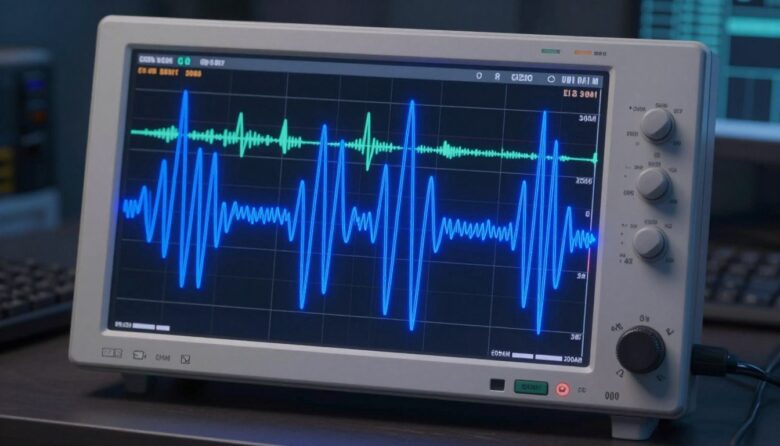
I want to keep this simple. The incoming AC line from the utility is a sine wave, and that smooth shape is what your power supply and devices expect to see.
SOROTEC, a company in Shenzhen since 2006, builds hybrid solar and backup products that emphasize reliable output for industrial and home use.
When grid power keeps a clean wave, voltage stays within the range that electronic equipment needs. A good UPS is designed to preserve that shape so your PC does not face a problem.
Every power supply in your computer works best when the waveform is stable. Quality supplies convert that AC into steady DC with less stress and heat.
- Reliable products help maintain consistent voltage to sensitive components.
- Understanding the basic waveform shows why output quality matters for your devices.
Pure Sine Wave vs Simulated Sine Wave: The Core Differences
Not all UPS outputs are created equal; the shape of the AC waveform changes how gear behaves.
Defining the Waveform Characteristics
I compare the true and modified outputs by how closely they match a clean electrical cycle.
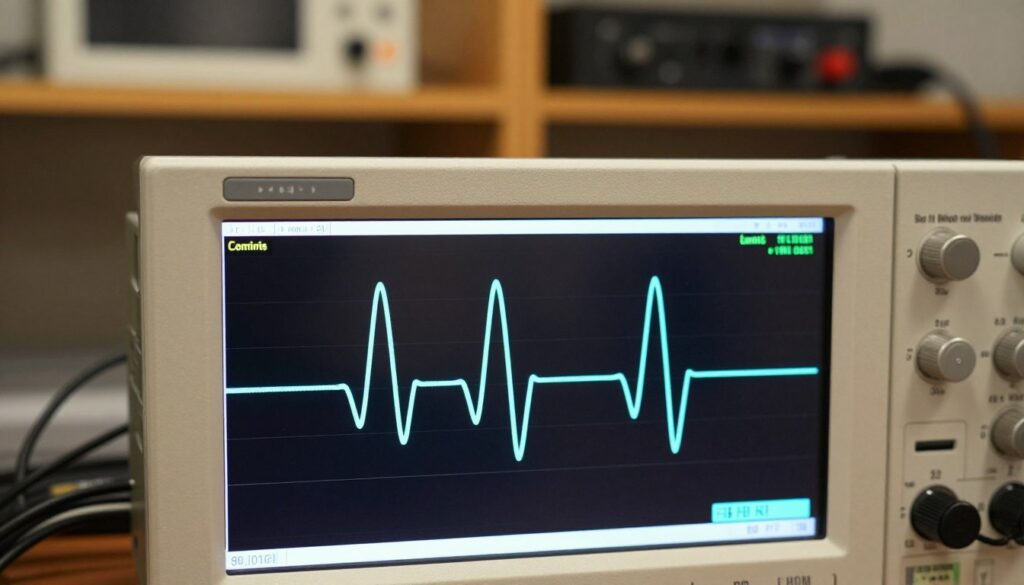
Pure sine wave output mirrors utility power with low harmonic distortion. That means steadier voltage and less stress on a modern power supply. I recommend these models for sensitive equipment and servers.
Simulated sine wave (a modified square wave) uses simpler electronics. It keeps costs down and serves basic devices well. However, some high-performance devices may show noise, heat, or odd behavior under this output.
Cost and Manufacturing Trade-offs
Producing a true waveform requires complex conversion stages and better components. That is why models that deliver a pure sine wave ups output cost more.
Manufacturers offer balanced options. For example, Minuteman’s Endeavor, Encompass, and EXR series provide true output for sensitive gear. The Enspire, Entrust-LCD, and PRO-RT2U focus on simulated output for budget buyers.
| Feature | True Output Models | Budget Output Models |
|---|---|---|
| Typical output | Clean sine wave output | Modified square/simulated output |
| Best for | Sensitive equipment, servers, modern power supplies | Basic devices, non-critical loads |
| Cost | Higher (complex circuitry) | Lower (simpler design) |
| Power quality | High — lower harmonics, stable voltage | Moderate — possible harmonics and peaks |
- I find the pure option is the gold standard for longevity and performance.
- For many home setups, simulated models balance price and basic protection.
How Different Waveforms Affect Your PC Components
I look closely at how the shape of incoming power changes what happens inside a PC.
Different waveform shapes can force your PC’s power chain to work harder than intended.
Sharp transitions in a square-like signal introduce high frequency harmonics that most power supplies were not built to handle.
Heat Buildup and Component Stress
High frequency harmonics cause extra switching losses in the power supply. That loss shows up as heat inside the case.
When a supply struggles to correct a rough output, components run hotter. Fans spin faster, capacitors age quicker, and audio or USB devices can misbehave.

My testing found that poor output often leads to buzzing, erratic behavior, and faster wear on sensitive parts.
I recommend a UPS that delivers a clean sine wave output to avoid these issues. That keeps voltage stable and reduces stress on power supplies and other equipment.
- Square wave harmonics can shorten component lifespan.
- Non-ideal output increases internal heat and the chance of failure.
- Stable power reduces noise, erratic operation, and long-term wear.
| Risk | Cause | Impact |
|---|---|---|
| Increased heat | High frequency harmonics from rough output | Shortened capacitor life, higher fan speeds |
| Erratic devices | Voltage correction stress in power supply | USB audio glitches, transient resets |
| Premature failure | Continuous operation on poor waveform | Reduced lifespan of PSU and motherboard components |
Why Simulated Sine Wave Remains a Popular Choice
For many home users, a modified output offers a practical, budget-friendly layer of protection during short outages. I see these systems used in home offices and small setups where cost matters more than perfect power quality.
Cost drives the choice. Modified units typically sell between $50 and $600, while higher-end models sit from $150 to $900. That gap matters when you buy multiple units or work with tight budgets.
Fast backup and basic protection. These UPS systems switch quickly to battery, giving you time to save files and shut down. Their batteries usually bridge short dips without causing a major problem for everyday devices.
- I find that simulated sine wave inverters are reliable for non-critical equipment and basic power supply designs.
- They may create more heat than a cleaner output, but in many cases the trade-off is acceptable.
- For users not running sensitive servers, this is a cost-effective way to reduce downtime.
| Factor | Simulated Output | Typical Benefit |
|---|---|---|
| Price range | $50–$600 | Lower upfront cost |
| Best use | Home office, basic PCs, non-critical loads | Affordable backup |
| Battery support | Short to medium run time | Enough to save work and shut down |
| Thermal impact | Higher heat in some PSUs | Manageable for basic systems |
The Advantages of Pure Sine Wave for Sensitive Electronics
Clean AC output keeps modern electronics calm and predictable during a power event. I rely on UPS designs that mirror utility mains to reduce stress on converters and storage.
Stable Power for Modern Power Supplies
Stable output helps high-performance power supply units run cooler. I have seen systems behave better when the UPS delivers a true waveform that avoids extra switching losses.
Protecting Data Integrity
Data risks rise when voltage spikes or distortion occur. A reliable output lowers the chance of corruption on servers and workstations during brownouts or transfers.
Efficiency in Energy Conversion
The efficiency gains of a clean waveform mean less wasted energy during backup. SOROTEC’s REVO VM V, for example, supports lithium batteries via RS485 or CAN to preserve battery life and deliver consistent power.
- Better protection: cleaner output reduces harmonics and heat.
- Higher efficiency: less loss when converting to battery power.
- Longer life: supplies and batteries show improved longevity.
| Benefit | Impact | Why it matters |
|---|---|---|
| Stable output | Less thermal stress | Power supplies run quieter and last longer |
| Clean conversion | Higher efficiency | Less wasted energy during battery backup |
| Data protection | Fewer errors | Servers and storage stay consistent |
Real-World Performance and Reliability Considerations
Real-world tests show how backup gear performs under load, and that performance often tells the true story.
I’ve seen the REVO MPI 6kW/10kW model reach 97% efficiency, which proves a high-efficiency pure sine wave product can outperform lower-cost alternatives in uptime and thermal stability.
In telecom base station projects, REVO II inverters provided reliable backup that kept communications running during grid failures. That kind of field success matters when your data and services are on the line.
Stability under variable loads separates strong designs from mediocre ones. High-quality systems handle load swings without major voltage sag or inverter stress.
“The REVO series showed fewer spikes and more consistent output during long outages.”
Cost can be higher for top-tier products, but I believe the extra investment pays off in protection, less downtime, and lower long-term maintenance.
- Performance: quality models deliver steadier output and better battery behavior.
- Protection: cleaner output reduces stress on power supplies and downstream devices.
- Reliability: case studies show pure sine designs sustain critical systems longer.
| Metric | REVO MPI 6kW/10kW | Typical simulated model |
|---|---|---|
| Efficiency | 97% | 85–92% |
| Load stability | High | Moderate |
| Best use | Critical backup, telecom, servers | Basic office equipment |
Conclusion
Deciding on backup power comes down to matching your UPS to the needs of your machine.
I recommend a pure sine wave unit when you run high-performance power supply systems or critical devices. That choice gives steadier output, lower heat, and better protection for long-term reliability.
For tight budgets, a simulated sine wave UPS can offer decent short-term backup at lower cost. It can save work and prevent data loss, but it may stress some supplies over time.
strong, Ultimately, balance your budget with the sensitivity of your gear. Pick a model that matches your needs to keep your PC safe and running smoothly for years.
FAQ
What should I know about power waveform types and my PC?
I explain that there are two main inverter outputs used in UPS systems: a clean, smooth waveform and a stepped or approximated waveform. The cleaner output matches utility power closely, reducing stress on power supplies and sensitive components. The approximated output is cheaper and works for many basic devices, but it can cause higher heat, more electrical noise, and occasional incompatibility with active PFC power supplies in modern PCs.
Can using an approximated waveform UPS damage my computer?
I’ve seen issues where some power supplies run hotter or produce audible noise when fed with a stepped waveform. In most cases it won’t instantly damage hardware, but prolonged use can shorten component life, increase fan activity, and risk data corruption during brownouts. For servers, NAS units, and production workstations, I recommend a cleaner output to reduce those risks.
How do waveform differences affect power supply efficiency?
I find that switching supplies with active power factor correction perform best with a clean sinusoidal output. The approximated option can reduce conversion efficiency, raise internal temperatures, and occasionally trigger UPS or PSU protection. That leads to higher energy use and potential throttling under sustained load.
Will my PC boot from a UPS with an approximated waveform?
Many desktop PCs will boot fine, especially older or simpler systems. However, some modern power supplies with active PFC may refuse to start, report faults, or behave unpredictably. I recommend checking your PSU documentation or testing with the intended UPS before relying on it for critical uptime.
How does waveform quality impact data integrity and drives?
I keep backups because I’ve seen interrupted write cycles cause file corruption. Cleaner voltage helps avoid transient noise that can upset SSD controllers and hard drive electronics during writes. For important data or database servers, a cleaner output reduces the chance of corrupted files during switchover events.
Are there cost trade-offs when choosing UPS types?
Yes. Systems that produce a cleaner waveform cost more to design and build, so their UPS models are pricier. The approximated models offer lower upfront costs and adequate short-term backup for noncritical setups. I weigh the purchase against the value of protected equipment and downtime costs when advising choices.
Do waveform choices affect heat and noise in my system?
They can. I’ve noticed higher case and PSU temperatures when using stepped output under heavy loads, plus some coil whine or fan speed changes. Heat increases can shorten component life, so for dense builds or 24/7 operation, I prefer the cleaner waveform to help maintain lower thermal stress.
When is it okay to use an approximated waveform UPS?
I recommend the approximated option for basic home offices, monitors, routers, and other noncritical electronics that do not use active PFC. It’s a cost-effective way to get short-term backup. For workstations, servers, or any device handling important data, I advise investing in a cleaner output unit.
How can I tell if my UPS or PSU will be compatible?
I suggest checking PSU specs for active power factor correction and manufacturer guidance about unsupported waveform types. Look for user reviews mentioning UPS compatibility, and if possible, test the combination before deployment. Brands like APC, CyberPower, and Eaton often list waveform type and load behavior in their manuals.
Does waveform quality influence long-term reliability of systems?
In my experience, yes. Stable, low-harmonic power reduces electrical stress and keeps power supplies operating within optimal parameters. That results in fewer thermal cycles, less electrical noise, and potentially longer component life—important for servers, media production rigs, and critical home labs.
Are there specific devices that definitely need the cleaner output?
I always recommend the cleaner output for devices with active PFC power supplies, precision audio equipment, UPS-fed network gear like enterprise switches, and medical or lab instruments. These devices either won’t work correctly with approximated output or will suffer performance and longevity issues.
What should I prioritize when buying a UPS for a PC?
I prioritize matching the UPS output quality to the PC’s power supply design, ensuring enough wattage and runtime for safe shutdown, and choosing reputable manufacturers with warranties and support. For critical machines, I also factor in surge protection, battery lifespan, and serviceability.