
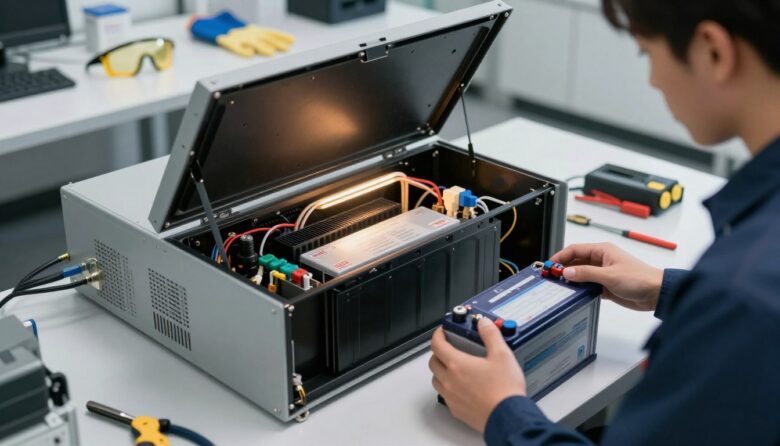
How to Safely Replace the Internal Battery in Your UPS System

replace UPS battery

I’ll walk you through a clear, step-by-step guide so you can safely replace the internal cell in your UPS without risking your connected devices or equipment. I write from practical experience and will keep instructions simple and focused.

Most sealed lead-acid units last about three to five years, so timely maintenance keeps your backup power ready when you need it. I’ll explain the right tools, how to follow the manual, and how to access the battery compartment on common models.

I’ll also cover common types like VRLA and Li-ion, show how to handle old units safely, and recommend taking spent cells to a recycling center. You’ll learn quick checks to confirm health and performance so your power supply stays reliable during an outage.

Key Takeaways

  • I explain safe steps to replace ups components and protect connected devices.
  • Most cells last 3–5 years—timely action preserves backup power.
  • Use the correct tools and follow the manual for your model.
  • Know the difference between VRLA and Li-ion for proper energy storage.
  • Handle old units carefully and recycle them at an approved center.

Understanding When to Replace Your UPS Battery

You can tell a cell is near the end of its useful life when runtime drops and alarms start to sound more often.

Signs of battery failure are usually easy to spot. Watch for reduced runtime, frequent audible alerts, or warning lights on your unit. Built-in monitoring software can show charge capacity and tell you if an ups battery is losing energy.

Most sealed lead-acid batteries last about three to five years. But heavy use from repeated power outages and high room temperatures shortens that span.

Factors affecting lifespan

Frequent discharge cycles reduce capacity faster than occasional use. High ambient heat also accelerates chemical wear. Different chemistries react differently, so know the type installed in your ups systems.

“Regular checks and software monitoring helped me avoid unexpected failures. I schedule a quick health check every six months.”

  • Watch runtime and alarms for early warning.
  • Check health via the unit’s management software.
  • Consider replacement after three to five years, sooner with heavy use.
Issue What to Watch Action
Shorter runtime Device runs out faster during outage Schedule a capacity test
Frequent alarms Audible alerts or warning lights Run diagnostics and prepare for replacement
High-temperature location Temps above manufacturer spec Move unit or improve cooling

Essential Safety Precautions Before You Begin

Before I touch any terminals I gear up. I put on safety glasses and gloves to guard against leaks, sparks, or acid. Small protection steps cut real risk.

Remove all metal jewelry. Rings, watches, and bracelets can short a live connection. I leave them in a safe place before handling any stored energy.

I use tools with insulated handles. Insulated tools reduce the chance of shock and accidental short circuits on high-capacity ups units.

Always read the manufacturer’s manual for your model. The manual explains model-specific warnings, torque specs, and the correct sequence to disconnect and reconnect terminals.

Safely discharge stored power if the manual requires it. I follow the procedure to remove residual current so I don’t face high output during installation.

“Wear protective gear and use insulated tools—these steps prevent most common injuries.”

  • Keep the area dry and well lit.
  • Have a fire extinguisher rated for electrical fires nearby.
  • Plan where old batteries will go for safe handling and recycling.

How to Replace UPS Battery Safely

Before I touch any wires, I plan each step to keep my equipment and myself safe. The short checklist below helps me power down, document wiring, and prepare tools so the process goes smoothly.

Powering Down the Unit

I shut down connected equipment first and follow the manual’s shutdown sequence for the system. If your model supports hot-swap, consult the owner’s guide before proceeding so you don’t interrupt power to connected devices.

Accessing the Battery Compartment

I remove the cover using the correct tools and take a clear photo of wiring before I disconnect anything. This photo is my wiring map and reduces mistakes when installing the new battery.

Connecting the New Terminals

Always connect the positive (red) terminal first, then the negative (black). Tighten terminals to the torque recommended in the manual so the power supply stays reliable.

“Document the wiring, follow the manual, and double-check polarity—those three steps prevent most errors.”

  • Remove the old battery safely and place it in a secure container.
  • Contact ups manufacturer support if you see corrosion or unusual wiring.
  • Secure the battery compartment cover and run a post-install check of runtime and alarms.

Choosing the Right Replacement Battery

Choosing the right replacement starts with matching voltage and capacity to your unit. I always check the spec sheet first so the new cell delivers the expected runtime and fits the compartment.

Know your options: lithium-ion and VRLA are the two common types. Lithium-ion cells are typically 40% lighter and about half the size of an equivalent VRLA. They also offer roughly 2–3X longer cycle life, which can justify a higher upfront cost.

VRLA types use a pressure relief valve to control internal pressure and prevent gas leakage and dry-out. That design helps safety and long-term performance in many installations.

A well-lit hardware store aisle showcasing various replacement batteries for UPS systems. In the foreground, a person in professional business attire is thoughtfully examining a selection of batteries displayed on a shelf, showcasing a mix of sizes and brands. The middle ground features battery packaging and labels clearly indicating specifications, such as voltage and compatibility, creating an organized and informative atmosphere. In the background, shelves are filled with power equipment and tools, suggesting a technical environment. Soft, natural lighting enhances clarity and focus on the products, while a slight blur in the background creates depth. The overall mood is one of practicality and careful decision-making, conveying the importance of choosing the right replacement battery.

I weigh cost, weight, and longevity when I recommend a new unit. Match voltage and amp-hour capacity exactly to the manufacturer’s specs to avoid poor performance or voiding your warranty.

“Match specs, consider life-cycle cost, and confirm physical fit before buying.”

  • Confirm voltage and capacity on the label or manual.
  • Consider lithium-ion for lighter weight and longer life.
  • Verify the replacement meets the manufacturer’s specifications to keep warranty intact.

Proper Handling and Disposal of Old Batteries

I never toss used power modules in regular trash — they contain materials that need special handling. Proper disposal protects people and the environment from toxic leaks and fires.

Transport spent cells safely. I carry old batteries in a leak-proof container and keep terminals covered to avoid short circuits. If a unit is damaged or leaking, I wear gloves and place it in a sealed plastic bag.

Environmental Responsibility

Never burn or puncture batteries; they can explode and emit toxic fumes. Many local recycling centers and retailers accept old batteries for free, which makes responsible disposal easy.

  • Make sure to label units if your center requires it.
  • Ask retailers about free drop-off or scheduled collection events.
  • Clean debris from the battery compartment and avoid touching corroded terminals directly.

“Recycling used cells keeps raw materials in use and prevents contamination of soil and water.”

If in doubt, contact your local recycling center or the ups manufacturer for guidance. That step ensures compliance with local rules and safe handling every time.

Testing Your System After Installation

After installation I power the unit and watch the startup self-test closely.

A close-up view of a modern uninterruptible power supply (UPS) system on a workbench. In the foreground, a technician wearing a professional business shirt and safety glasses is carefully testing the UPS after battery installation, using a multimeter to check voltage and connectivity. The middle of the scene features the UPS system, with visible indicators showing power and battery status, sleek lines, and a metallic finish. In the background, there are electric tools and a neatly organized workspace illuminated by bright, focused white LED lights, creating a clean and efficient atmosphere. The image should have a warm, professional mood, emphasizing safety and adherence to technical procedures in a corporate environment. The angle should be slightly above eye level, capturing the technician's focused expression.

Most modern units run an automatic self-test when you switch them on. I let that cycle finish and watch for green lights, charging indicators, or any error codes.

I then simulate a short power loss to confirm the unit carries connected gear. I do this for just a minute or two so devices stay safe while I verify backup power.

I check the software interface next. The management app shows charge current, state of charge, and health metrics. If readings look abnormal, I note error codes and contact support.

“A quick self-test and a one-minute load check tell you if the new battery is working as intended.”

  • Run the built-in self-test and watch indicators.
  • Perform a brief simulated outage and confirm devices stay powered.
  • Use the software to review health stats and run diagnostics if needed.

Final step: log the test results and monitor the system for 24 hours to catch any intermittent faults before you rely on it in an outage.

Best Practices for Extending Battery Life

Keeping your power module cool and lightly loaded will add months or years to its useful life. I focus on temperature, load management, and simple maintenance to protect my investment.

Maintaining Optimal Temperatures

Heat shortens cell life fast. For sealed lead-acid types, every 15°F (9°C) above 77°F (25°C) can cut expected life in half. I keep my unit in a cool, ventilated room near 77°F to avoid that loss.

Avoiding Overload Conditions

I make sure the total wattage of connected devices never exceeds the rated capacity. Running at or near full load for long periods causes heat and deep discharges that reduce cycles and long-term performance.

  • Check terminals for corrosion and clean them to prevent heat buildup.
  • Store spare modules charged at manufacturer-recommended levels.
  • Run regular self-tests and recharge immediately after any discharge to prevent sulfation.

“Light loads, cool placement, and prompt recharging keep protection reliable.”

When to Call a Professional Technician

If you have a 3‑phase system or a single‑phase unit rated 5kVA or higher, I always contact the ups manufacturer for a certified technician.

Do not attempt handling swollen or leaking batteries yourself. These signs show hazardous materials or internal damage. Call support and isolate the unit until help arrives.

If your unit shows unfamiliar error codes, a technician can run thorough diagnostics. They will check the power supply and avoid damage to your connected devices or equipment.

Hardwired and floor‑mounted systems need an electrician. These setups involve mains wiring and are more complex than standard compartment access or terminal work.

“A certified tech protects your system and your warranty when the job goes beyond basic steps.”

  • Call a pro for 3‑phase or 5kVA+ systems.
  • Contact ups manufacturer if you see bulging or leaks.
  • Seek help for strange codes, corrosion, or unclear wiring.
  • Use authorized service centers to keep warranty and safety intact.
Issue When to Call Who to Contact
Swollen or leaking cells Immediately Authorized service center / ups manufacturer
High-capacity or 3‑phase unit Before any work Certified technician / electrician
Unfamiliar error codes After noting code Manufacturer support / service center
Hardwired power connections Always Licensed electrician

Conclusion

A quick final check helps ensure your work pays off. I run a short simulated outage, watch status lights, and confirm the unit holds charge under load.

Regular maintenance matters. Following this guide for replace ups battery tasks and routine testing keeps your backup power reliable and extends useful life.

If anything looks off, consult the manual or contact your ups manufacturer. For most users, a timely battery replacement and basic tests save time and protect important devices and equipment.

Thanks for reading — I hope this makes maintaining your system clear and manageable so your critical power stays ready when you need it.

FAQ

How do I know it’s time to change the internal battery in my UPS system?

I look for warning lights, shorter runtime during power loss, frequent alarms, or swelling and leakage. If the unit reports a capacity below the manufacturer’s threshold or it’s been near five years, I plan a replacement. I also monitor load behavior during outages and run diagnostics with the user manual or manufacturer software like APC PowerChute or Eaton Intelligent Power Manager.

What are common signs that the power module has failed?

I notice slow startup, unexpected shutdowns, or humming and overheating. The unit may display error codes or fail self-tests. Sudden drops in supported runtime and visible corrosion at the terminals are clear indicators, so I stop using the device and prepare for service.

Which factors reduce the useful life of the energy cells?

High ambient temperatures, continuous heavy load, frequent deep discharges, and poor ventilation shorten lifespan. Poor-quality charging cycles and incorrect storage also degrade performance. I keep equipment in cool, dry areas and avoid constant maximum loading to extend life.

What safety checks should I perform before starting the replacement process?

I power down all connected devices, disconnect from mains, and wear safety gloves and eye protection. I confirm the unit is fully isolated and read the service manual for model-specific precautions. I also have insulated tools and a nearby fire extinguisher ready.

How do I power down the unit safely?

I inform users, save work on connected devices, then shut down the UPS using its control panel or connected software. After graceful shutdown, I disconnect AC input and unplug the load. I wait for capacitors to discharge per the manufacturer’s recommended interval before opening the housing.

What’s the correct way to access the internal compartment?

I remove the outer cover following the service manual steps, keeping screws and panels organized. I avoid metal tools near the terminals and secure the housing so it won’t fall. If the model has locking latches, I use the proper release sequence to prevent damage.

How should I attach the new terminals and cables?

I clean terminal contacts, apply a light anti-corrosion compound if recommended, and attach the new leads in the correct polarity. I tighten connections to the specified torque and ensure no stray wire strands remain. After reassembly I reconnect AC and test the output.

How do I choose the correct replacement cell for my model?

I match the voltage, capacity (Ah), chemistry type, and physical dimensions to the original and follow the manufacturer’s compatibility list. I source cells from reputable suppliers such as APC by Schneider Electric, Eaton, or CyberPower and check the model number on the service manual before purchasing.

What should I do with the old energy module?

I never throw it in regular trash. I take used units to an authorized recycling center or retailer take-back program. Many electronics stores and municipal hazardous-waste sites accept sealed lead‑acid modules for proper recycling to prevent environmental harm.

How do I handle the old component to prevent spills and exposure?

I keep it upright, avoid puncturing the casing, and store it in a sturdy, nonmetal container away from heat. If I see leakage, I use absorbent materials and neutralizing agents per the manual, then transport the item to a hazardous-waste facility promptly.

How can I verify the system works after installing the new module?

I reconnect AC power, run a self-test using the unit’s diagnostics, and simulate a short power outage to confirm runtime and load support. I monitor voltages, check for error codes, and use manufacturer software to view status and runtime estimates.

What routine checks should I perform to prolong service life?

I keep the area cool and ventilated, perform periodic self-tests, clean vents, and avoid continuous high loads. I also schedule inspections every six months and replace modules proactively based on age and performance trends.

How does temperature affect longevity, and what temperature should I maintain?

Higher heat accelerates wear. I aim to keep the environment around 20–25°C (68–77°F) and avoid temperatures above 30°C (86°F). Consistent cooling and airflow around the unit significantly improve long‑term reliability.

What counts as an overload condition and how do I prevent it?

Overload occurs when connected equipment draws more power than the unit is rated to supply. I calculate total wattage of devices, keep a margin below maximum capacity, and distribute loads across multiple units if necessary. I also avoid plugging high-draw appliances into protected outlets.

When should I call a professional technician instead of doing this myself?

I call a certified service technician if the unit is large, hardwired, under warranty, shows electrical arcing, or if I’m unsure about isolation procedures. Professionals from the manufacturer or licensed electrical contractors can handle complex models and high-voltage systems safely.

Leave a Reply

Your email address will not be published. Required fields are marked *